
Civo Kubernetes GUI for Mac.
Live cluster dashboard, real-time pod logs, no kubectl required.
CivoCloudManager is a native macOS GUI for Civo Kubernetes (managed K3s). It talks to the cluster's Kubernetes API directly over client-certificate mTLS built with Apple's Security framework, reads metrics from metrics-server, and streams pod logs in real time, all from a single native macOS window.
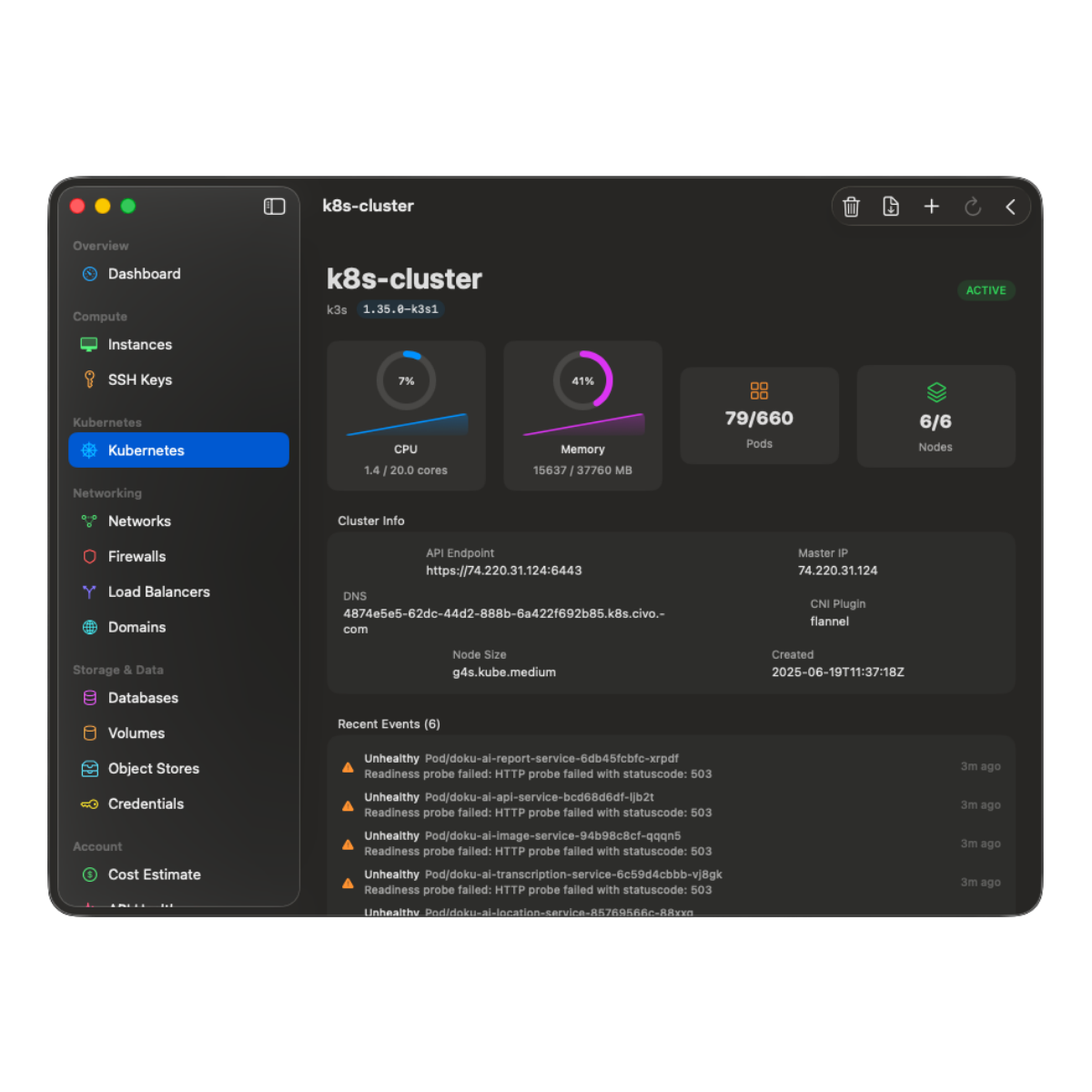
What you see when you open a Civo cluster.
-
Live CPU and memory gauges.
Circular gauges with sparkline history, sourced from metrics-server (graceful fallback when the addon is not installed). Updates without manual refresh.
-
Real-time pod logs.
Scrollable, monospaced log viewer. Auto-scroll, auto-refresh, manual refresh. Switch between containers in multi-container pods.
-
One-off commands.
Run a command in a cluster without kubectl. The app schedules it as a short-lived Job and shows you the output. For an interactive shell inside a running pod, keep k9s or kubectl exec.
-
Deployment scaling.
Bump replicas up or down from the deployment list. Rollout restart from the context menu.
-
ConfigMap and Secret viewer.
Browse all ConfigMaps and Secrets in any namespace. Base64-decoded values rendered inline.
-
Namespace filter.
One picker filters every workload list, deployments, services, ingresses, PVCs. Survives across sections.
How the GUI talks to your cluster.
The app downloads the cluster's kubeconfig from the Civo REST API, imports the embedded PEM client certificate and private key through Apple's Security framework with SecItemImport and SecIdentityCreate (no kubectl, no openssl, no external process), and opens a direct HTTPS+mTLS connection to the Kubernetes API server. When you select a cluster, port 6443 on the cluster's Civo firewall opens for your current public IP, and closes when you navigate away.
Why no kubectl?
kubectl works fine. It is also one more thing to install, configure, version-pin, and keep in sync across machines. A GUI that speaks Kubernetes natively means a fresh Mac can manage a Civo cluster five minutes after you install one app, no Homebrew bootstrap, no kubeconfig juggling.
Deep dives
Targeted reads for each Civo product.
Every Civo surface CivoCloudManager touches has its own page with the specifics, the trade-offs, and the architecture details. Pick the one closest to what you do today.
- 01 Civo CLI alternative for Mac Where the GUI beats the CLI, where it does not, and how the two coexist.
- 02 Civo Object Storage browser for Mac Native S3-compatible browser. Pause idle buckets to a central vault.
- 03 Civo firewall from the Mac menu bar One-click open/close per firewall, auto-IP detection, auto-close timer.
- 04 Civo cost dashboard for Mac Real charges from the Civo charges API. Period picker and month-end projection.
Guides
Step by step, and honest comparisons.
- 01 Connect your Civo API key Generate the key in the Civo dashboard, paste it once, and let the macOS Keychain hold it from then on.
- 02 Open a firewall for your IP The manual procedure, the dynamic-IP trap it leaves behind, and a free menu-bar path that closes the rule on a deadline.
- 03 vs Lens, OpenLens and k9s Three cluster agnostic tools, one Civo specific one. The difference decides which you want open.
- 04 Civo Object Storage over S3 The regional endpoint, working configuration for s3cmd, rclone and the AWS CLI, and what a native client does differently.
- 05 Civo DNS on Mac Point a domain at Civo's nameservers, then keep the zone in a native app instead of a browser tab.
- 06 Changelog Every shipped release, newest first, with the detail a store release note is too short to carry.
Open a Civo cluster in a native window.
A one-time purchase on the Mac App Store. Family Sharing on.